
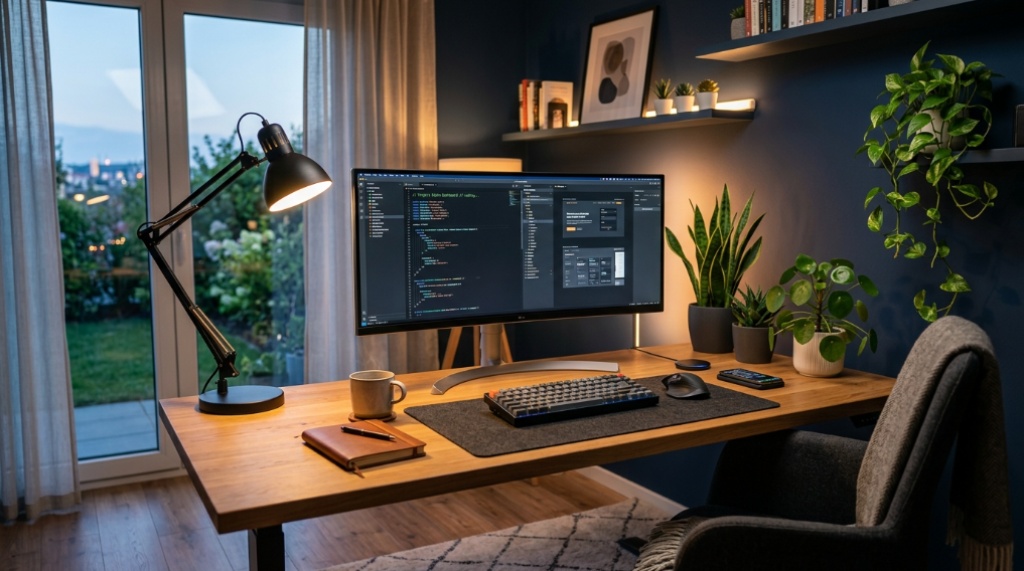
22 Sep How to Create a More Eye-Friendly Home Office Lighting Setup
You know the feeling: it’s 3 PM, you’ve been staring at spreadsheets for hours, and your eyes feel gritty, tired, and strained. You rub them, blink a few times, and push on, but the discomfort lingers. This isn’t just a minor annoyance—it’s a signal that your home office lighting is working against you. The wrong setup can cause headaches, reduce focus, and even impact your sleep. Fortunately, fixing this isn’t about expensive renovations. It’s about understanding a few key principles of light and applying them strategically. Whether you’re looking for a dedicated task light or a complete room overhaul, resources like Mechoffice can offer specific solutions, but the core strategy starts with your own environment.
Quick Answer
To create a more eye-friendly home office, you need to balance three types of light: ambient, task, and accent. Start by minimizing glare on your screen and eliminating harsh shadows. Position your desk perpendicular to windows, use blinds to control natural light, and invest in a quality task lamp with a color temperature between 4000K and 5000K for focused work. Crucially, never rely on a single overhead light source, as this creates contrast and strain. The goal is to create a soft, even illumination that matches the brightness of your monitor.
Key Takeaways
- Eliminate Glare First: The most effective change is positioning your monitor to avoid direct light from windows or overhead fixtures. This reduces immediate eye strain more than any other single adjustment.
- Layer Your Lighting: A single ceiling light is the worst-case scenario. Combining ambient light (soft, indirect) with task light (focused, adjustable) creates a balanced environment that reduces eye fatigue.
- Match Color Temperature: For daytime work, aim for task lighting around 4000K–5000K (neutral white). This mimics natural daylight and helps maintain alertness without the harsh blue glare of higher Kelvin ratings.
- Lighting Isn’t Just About Brightness: Contrast is the enemy. Your screen should not be significantly brighter or darker than your surrounding environment. Use bias lighting behind your monitor to equalize this.
- Consider the Full Spectrum: Flicker-free LED bulbs and lamps with a high Color Rendering Index (CRI of 90+) are far easier on the eyes than cheaper, low-quality alternatives.
Why Standard Lighting Fails You
Most home offices are lit by accident, not by design. We rely on a single ceiling fixture that casts harsh shadows, or we sit next to a window that creates a blinding glare on our screen. The problem is that our eyes are forced to constantly adapt to different brightness levels. When you look at a bright screen and then glance at a dark wall, your pupils dilate and constrict thousands of times a day. This constant adjustment is physically tiring and is the primary cause of Computer Vision Syndrome (CVS) symptoms like dry eyes, blurred vision, and headaches.
The solution isn’t to make the room as bright as possible; it’s to make the lighting *even*. Your eyes prefer a scene where the luminance (brightness) levels are similar. This is the fundamental principle behind every recommendation in this guide.
Step-by-Step Guide to an Eye-Friendly Setup
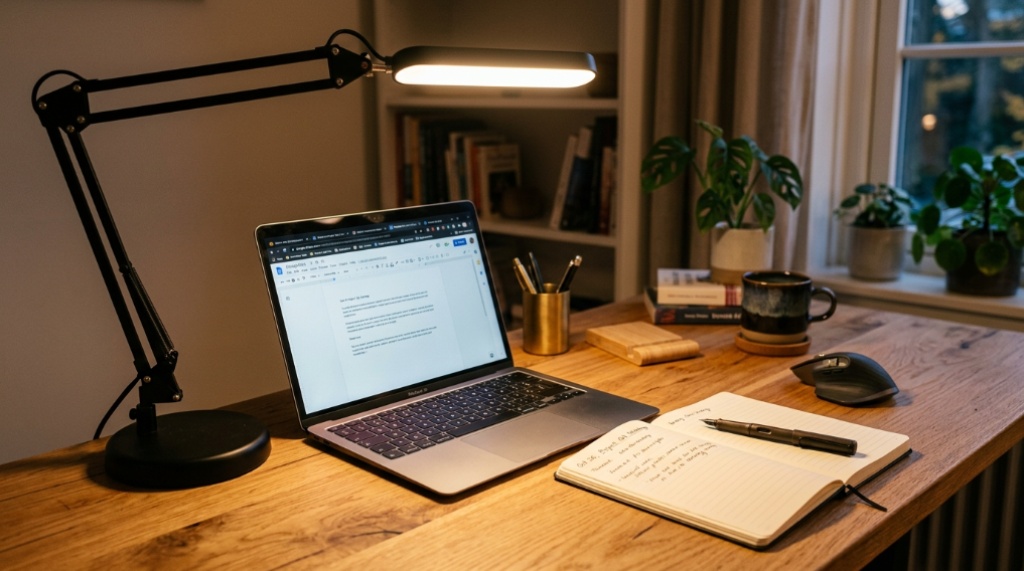
You don’t need to do everything at once. Follow these steps in order to see the most significant improvements quickly.
1. Position Your Monitor to Kill Glare
This is your first and most crucial step. Before you buy any new lamps, look at your screen right now. Can you see a reflection of a window or a light source? If so, that’s your primary problem.
Action: Turn your desk 90 degrees so the window is to your side, not behind you or in front of you. If that’s not possible, use blinds or sheer curtains to diffuse the light. The goal is to have the window parallel to your line of sight, not facing it.
2. Fix the Overhead Light
If you have a bright overhead light, it’s likely creating a shadow under your brow and causing your eyes to work harder. If your ceiling light is on a dimmer, turn it down. If not, consider turning it off entirely and relying on floor and task lamps instead.
Action: Your ambient lighting should be indirect. Point a floor lamp at the ceiling or a wall to bounce light softly around the room. This creates a base level of illumination without harsh shadows.
3. Add a High-Quality Task Lamp
Once your ambient light is soft and even, you need focused light for reading and writing. Your task light should be positioned to illuminate your documents, not your screen. Place it on the opposite side of your dominant hand to prevent hand shadows while writing.
Action: Look for a lamp with adjustable brightness and color temperature. For most work, a neutral white (around 4000K–5000K) is ideal. This is where specific eye-care lamps come into play. Many modern lamps, like those found on Mechoffice, offer features like flicker-free LEDs and specialized diffusers that reduce harsh shadows, making prolonged work sessions more comfortable.
4. Install Bias Lighting Behind Your Monitor
This is the “pro” trick that many people overlook. Bias lighting is a strip of LED lights attached to the back of your monitor. It doesn’t add much light to the room, but it dramatically reduces the contrast between the bright screen and the dark wall behind it. This small change can significantly reduce eye fatigue, especially in the evening.
Action: Attach a simple USB-powered LED strip to the back edge of your monitor with a color temperature around 6500K. This creates a soft halo that relaxes your eyes.
Choosing the Right Bulbs and Lamps
Not all light is created equal. When selecting bulbs or lamps for your home office, pay attention to these three specifications:
Color Rendering Index (CRI)
CRI measures how accurately a light source reveals the true colors of objects compared to natural sunlight. A low CRI (under 80) can make colors look dull and can cause your eyes to strain as they try to focus. For a workspace, aim for a CRI of 90 or above. This is especially important if you do any design work or need to read fine print, To enhance your overall workspace comfort and protect your home environment from harsh glare both indoors and out, consider exploring options like motorized outdoor rollup sun shades for your windows.
Flicker
Many cheap LEDs have a rapid, invisible flicker that is not picked up by the human eye but is registered by the brain. This flicker forces your eye muscles to constantly micro-adjust, leading to fatigue and headaches. Look for lamps and bulbs labeled “flicker-free” or “high-frequency.” This is a hidden specification that makes a world of difference.
Color Temperature (Kelvin)
You can control the mood and alertness of your workspace with Kelvin (K) ratings.
- Warm White (2700K–3000K): Relaxing and cozy, best for breaks or evening work.
- Neutral White (4000K–5000K): The sweet spot for focus and concentration. It’s bright without being harsh and mimics midday light.
- Cool White/Daylight (6000K+): Very bright and clinical. While it can increase alertness, it can also cause glare and strain if used at night.
If you can, get a task lamp that allows you to adjust the color temperature throughout the day. Use cooler light in the morning to wake up and warmer light in the evening to prepare for sleep.
Common Mistakes to Avoid
Even with the best intentions, many people make these mistakes that sabotage their eye comfort.
- Working in the Dark: Relying only on your monitor for light is one of the worst things you can do. It creates extreme contrast and forces your eyes to work overtime.
- Placing the Lamp on the Wrong Side: If you are right-handed, your lamp should be on your left. If it’s on your right, your hand will cast a shadow over your work while writing.
- Ignoring the 20-20-20 Rule: No lighting setup can fix the strain of staring at a fixed point for hours. Every 20 minutes, look at something 20 feet away for 20 seconds. This allows your eye muscles to relax.
- Choosing Aesthetic Over Function: A beautiful lamp with a low CRI and no diffuser is worse than a functional, adjustable one. Prioritize your eye health over interior design.
Frequently Asked Questions
Is natural light better than artificial light for working?
Yes, natural light is generally better for your mood, alertness, and eye health because it offers a full spectrum of light. However, it must be controlled. Unfiltered direct sunlight can cause glare and heat. Use sheer curtains or blinds to diffuse natural light and position your screen to avoid direct reflections.
What is the ideal brightness level for a home office?
There isn’t a single “perfect” lux level, but a general guideline is between 300 and 500 lux for ambient lighting on your desk surface. The most important factor is that the brightness of your screen and your surroundings are similar. Use a dimmer to adjust ambient light until the contrast feels comfortable.
Can I use a ring light for video calls as my main task light?
While ring lights are great for illuminating your face for video calls, they are not ideal for general task lighting. They create a flat, shadowless light that can actually reduce depth perception and cause eye fatigue during reading or writing tasks. Use a ring light for calls, but keep a dedicated task lamp for other work.
Does the color of my room’s walls affect eye strain?
Yes. Dark walls absorb light, requiring you to use brighter bulbs which can increase glare. White or light-colored walls reflect light more efficiently, allowing you to use lower, more comfortable brightness settings. A matte finish on walls is better than a glossy one, which can create its own glare points.
Should I use a blue light filter on my monitor and glasses?
Blue light filters can help reduce eye strain, but they are not a substitute for proper lighting. The primary cause of digital eye strain is the constant focusing and refocusing on a screen, not just blue light. Use a filter to reduce visual discomfort, but ensure your room lighting is balanced first for the best results.
Conclusion
Creating an eye-friendly home office is less about buying expensive gadgets and more about applying a few smart principles of light management. Start by eliminating glare from your screen, then work on balancing the ambient and task lighting in your room. Pay attention to the quality of your light sources—look for flicker-free LEDs with a high CRI and a neutral color temperature. By layering your light and reducing contrast, you can create a workspace that keeps you focused, comfortable, and productive for hours, without the nagging pain of tired eyes. Your vision is your most important tool; make sure your lighting is protecting it.
Sorry, the comment form is closed at this time.